Where Knowledge Meets Innovation

Manage all your Purchase Order and Incoming Shipment with Ease

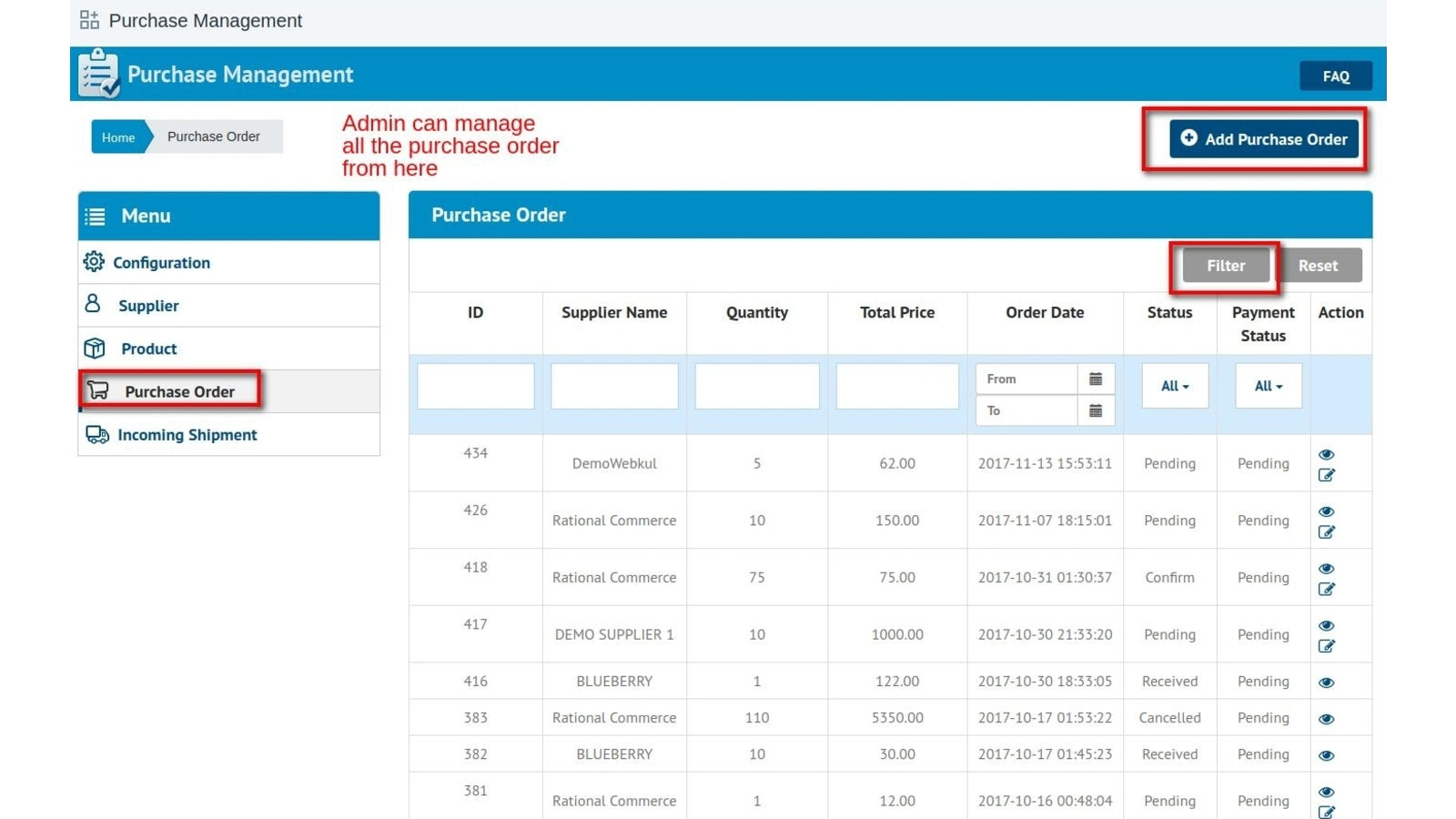
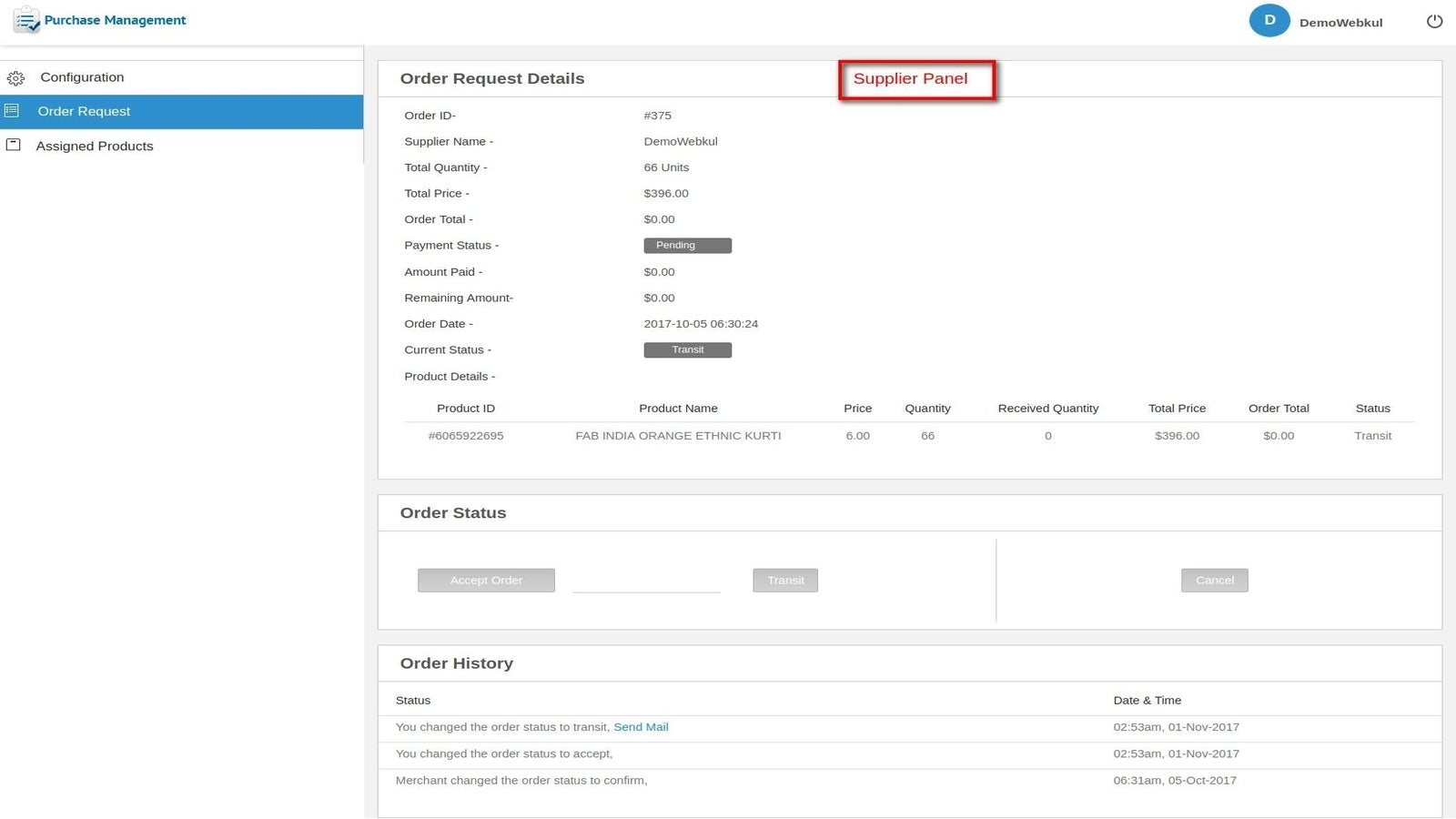
Via this app, Admin can manage the purchase orders and all the incoming shipment. The admin will be adding the suppliers first and assigning the products to the supplier. The admin can set the minimum & the maximum quantity that can be requested in a purchase order from the supplier. Admin will update the status of the purchase order accordingly. Once the order is received, the stock gets update based on the number of products received in the incoming shipment.
Order fulfillment, Inventory, Pick List, SKU & Barcode...
Create purchase orders and update inventory.
Out of stock, Low stock alert for site admin
Enterprise Order Management System & Inventory Platform...


 Wix Apps
 Ecwid Apps
 BigCommerce Apps
 AI Agents