Taranker.Com Logo
Solution Digest: MOQ Rules logo

Solution Digest: MOQ Rules

Develop by Shopify

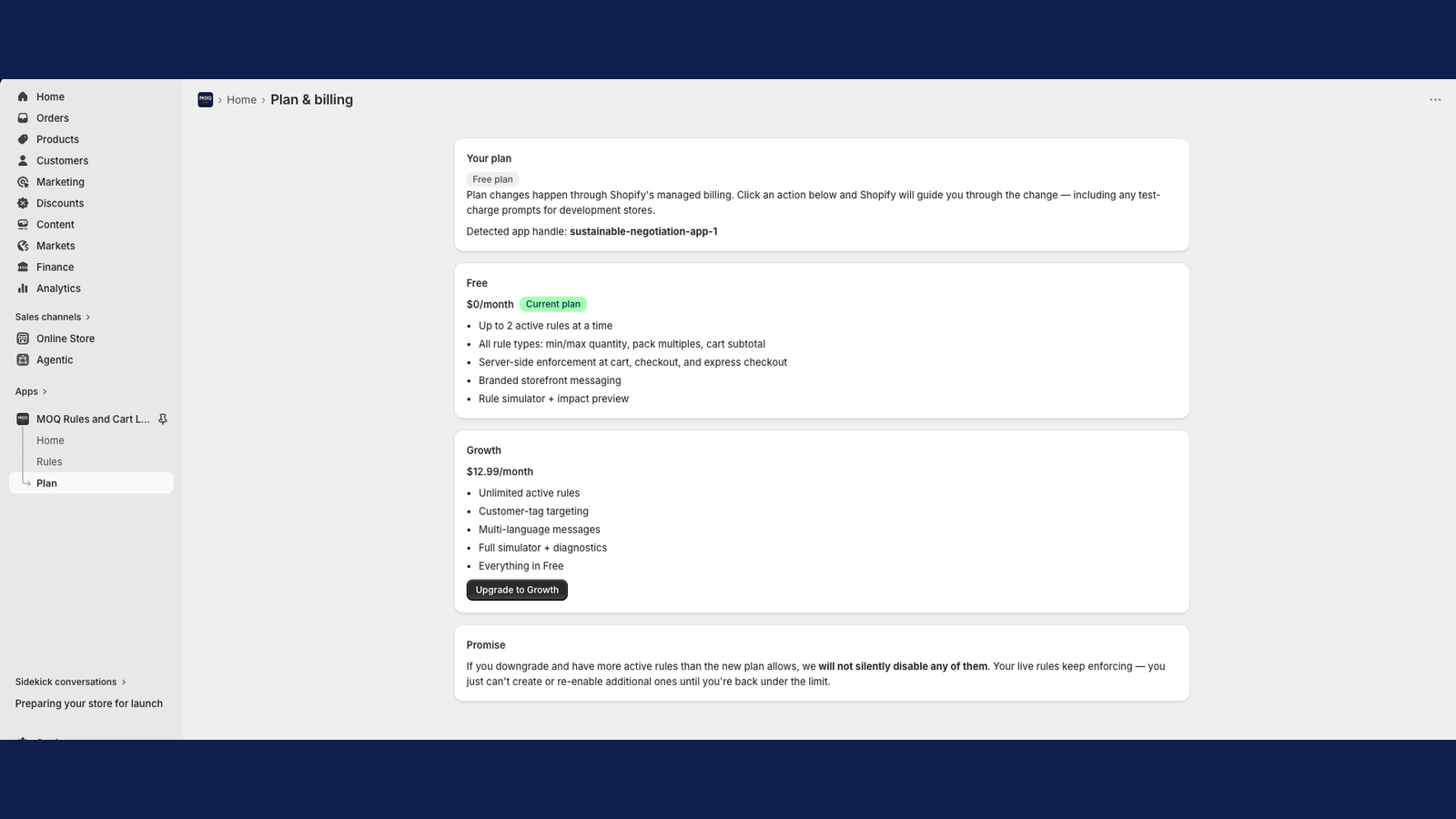
$5.99

/ Month
Free plan available

"Enforce custom order limits with comprehensive, multi-language Shopify tools."
About Solution Digest: MOQ Rules

Launched Jun 01, 2026

Categories

Built by Shopify

Zotabox Contact Form Builder logo
(129 Reviews)
  • Sponsored

Add multiple, embeddable contact forms to your website.

Introduction Video

Description

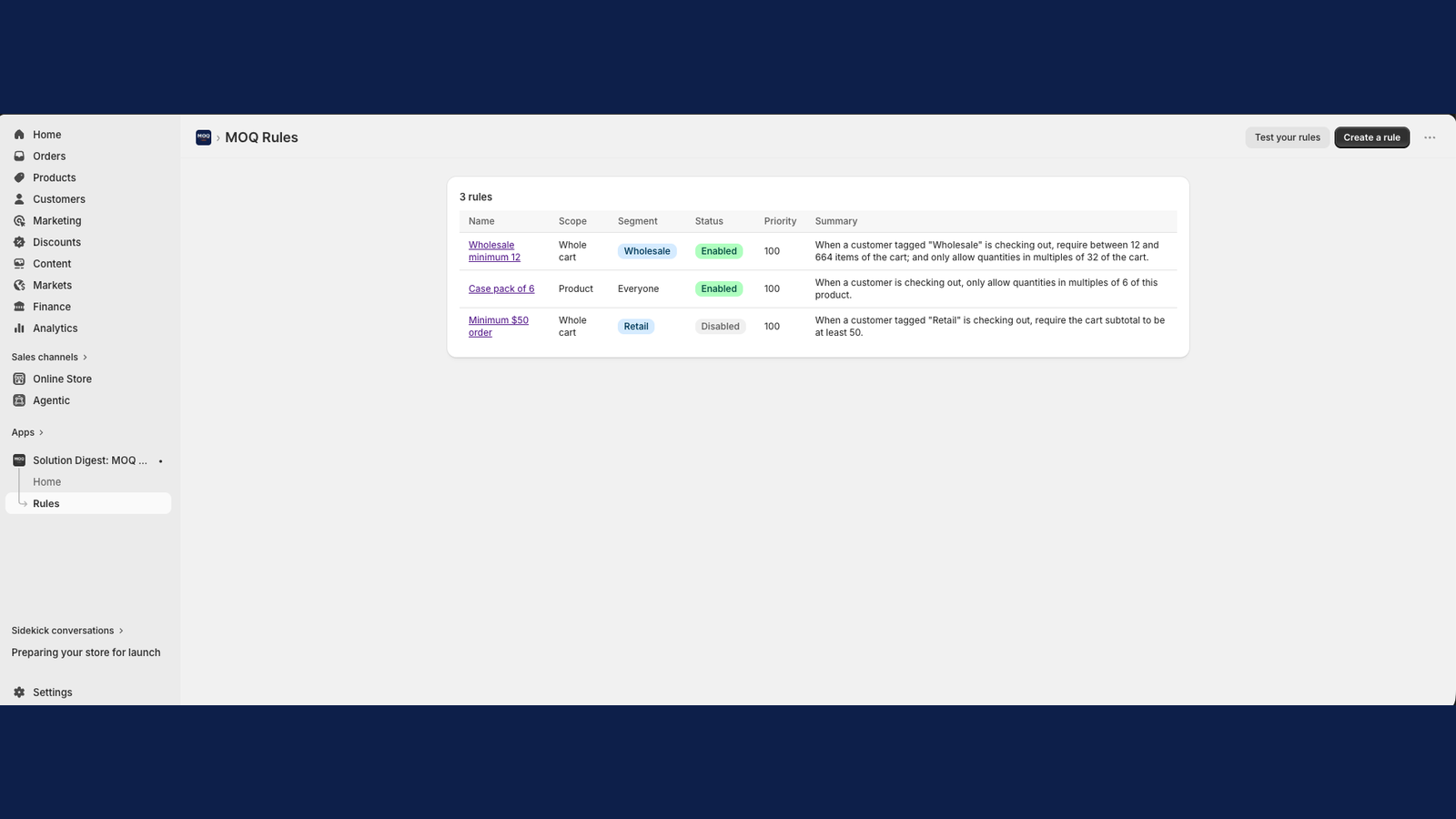
Server-side MOQ enforcement for B2B and wholesale stores. Multi-currency cart limits, multi-language errors, schedule windows.

Set minimum order quantities, max cart limits, and pack-size rules that actually enforce — at the cart, cart drawer, Buy Now, and checkout (including express). Built on Shopify’s Cart and Checkout Validation Function — rules can’t be bypassed. Built for B2B and wholesale: target rules to specific customer segments by tag. Set different minimums for wholesale vs retail, VIP vs regular, in a single rule that applies the right limit to the right shopper. Multi-currency aware: set per-currency cart-value thresholds for stores on Shopify Markets. EUR shoppers can see one minimum, USD shoppers another, all from the same rule. Multi-language storefront errors: write the customer-facing error in every language your store supports. The engine matches the shopper’s locale automatically — French shoppers see French, German shoppers see German, all from one rule. Schedule rules for flash sales, weekend wholesale, or seasonal MOQ. Set a start date, an end date, or both. Rules outside their window stop enforcing automatically — no manual toggle, no forgetting to turn them off. Three things this app is built around: a rule simulator (test a cart, see exactly which rule fires), an impact preview before publish, and a plain-English summary on every rule. Clean uninstall with no theme residue. GDPR webhooks implemented. No customer PII stored.

Set minimum order quantities, max cart limits, and pack-size rules that actually enforce — at the cart, cart drawer, Buy Now, and checkout (including express). Built on Shopify’s Cart and Checkout Validation Function — rules can’t be bypassed. Built for B2B and wholesale: target rules to specific customer segments by tag. Set different minimums for wholesale vs retail, VIP vs regular, in a single rule that applies the right limit to the right shopper. Multi-currency aware: set per-currency cart-value thresholds for stores on Shopify Markets. EUR shoppers can see one minimum, USD shoppers another, all from the same rule. Multi-language storefront errors: write the customer-facing error in every language your store supports. The engine matches the shopper’s locale automatically — French shoppers see French, German shoppers see German, all from one rule. Schedule rules for flash sales, weekend wholesale, or seasonal MOQ. Set a start date, an end date, or both. Rules outside their window stop enforcing automatically — no manual toggle, no forgetting to turn them off. Three things this app is built around: a rule simulator (test a cart, see exactly which rule fires), an impact preview before publish, and a plain-English summary on every rule. Clean uninstall with no theme residue. GDPR webhooks implemented. No customer PII stored. more
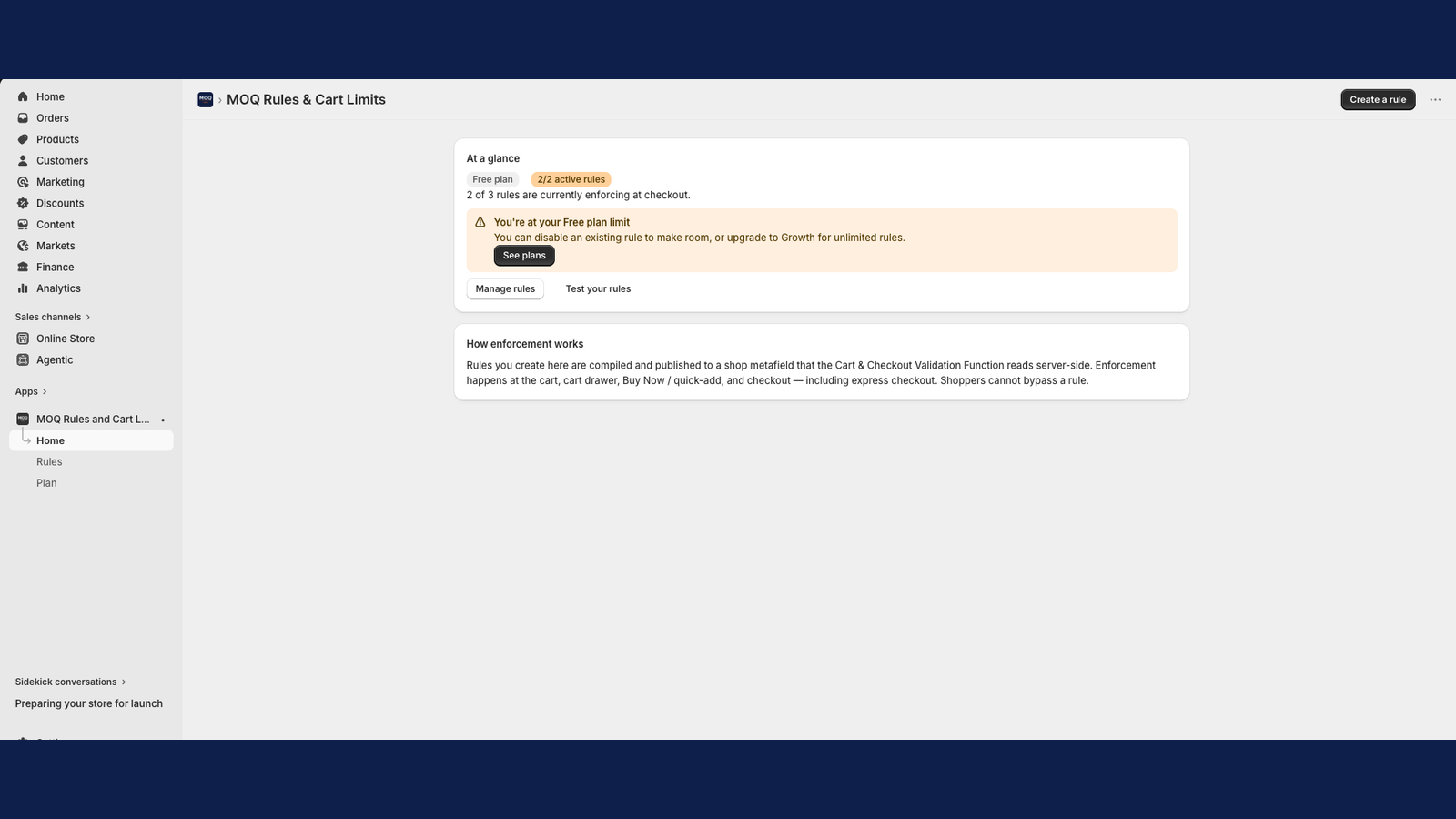
  • Server-side enforcement via Shopify Functions across cart, drawer, and checkout
  • Built-in simulator: test a cart, see pass/fail and which rule fired
  • Plain-English summary on every rule and impact preview before publish

More App like this

MOQ Manager logo
(1 Reviews)
$8.99 / Month
  • 7 Days Free Trial

Control product order quantities with automatic adjustments...

RuffRuff Selling Periods logo
(3 Reviews)
$9-$90 / Month
  • 3 Days Free Trial

Automate time-limited sales and pre-launch announcements

UP Order Limit Quantity Breaks logo
(30 Reviews)
  • Free Plan Available

"Set dynamic order limits to control purchases, prevent...

Extendons Quantity Selector logo
(3 Reviews)
$3.99-$14.99 / Month
  • 3 Days Free Trial

Limit quantity per customer with quantity selector button...

Scroll to Top