Where Knowledge Meets Innovation
Categories
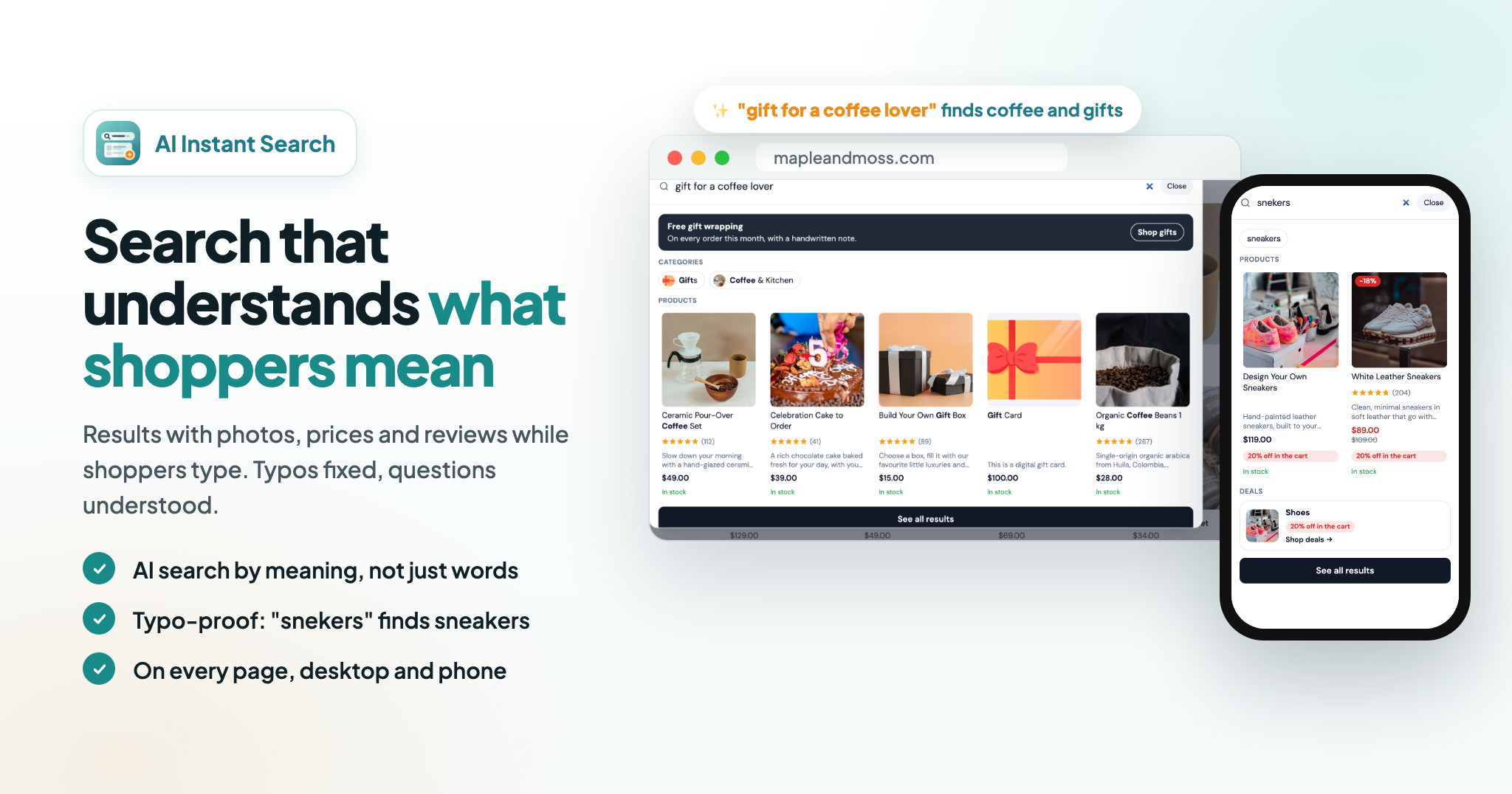
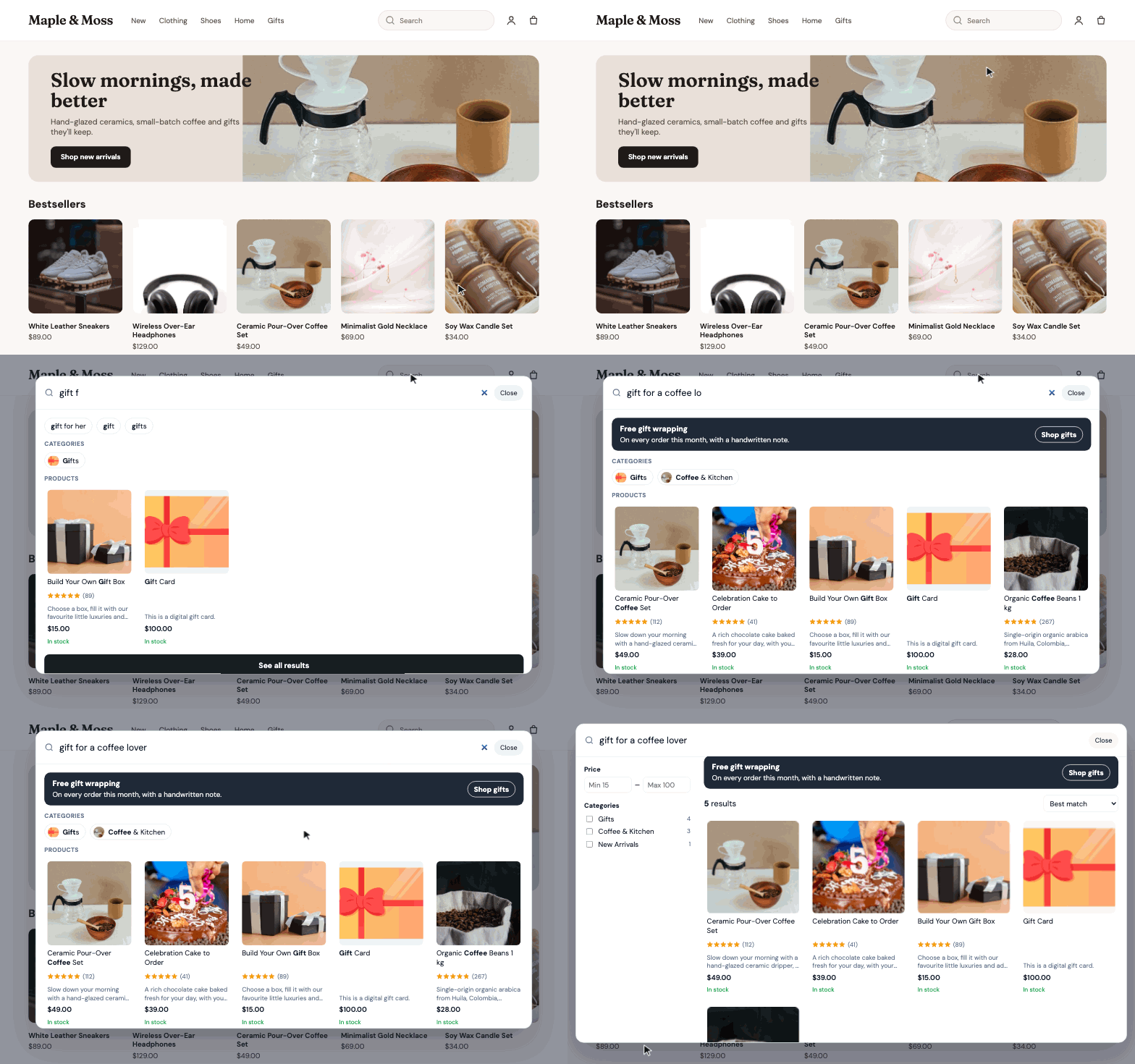
Products with photos, prices, sale badges, review stars and stock appear with every letter, with suggestions and matching categories with their pictures. Pressing Enter opens all results on your store's search page address, so a refresh or a shared link shows the same results. It opens from your store's search icon and search fields on every page, and full screen on phones.
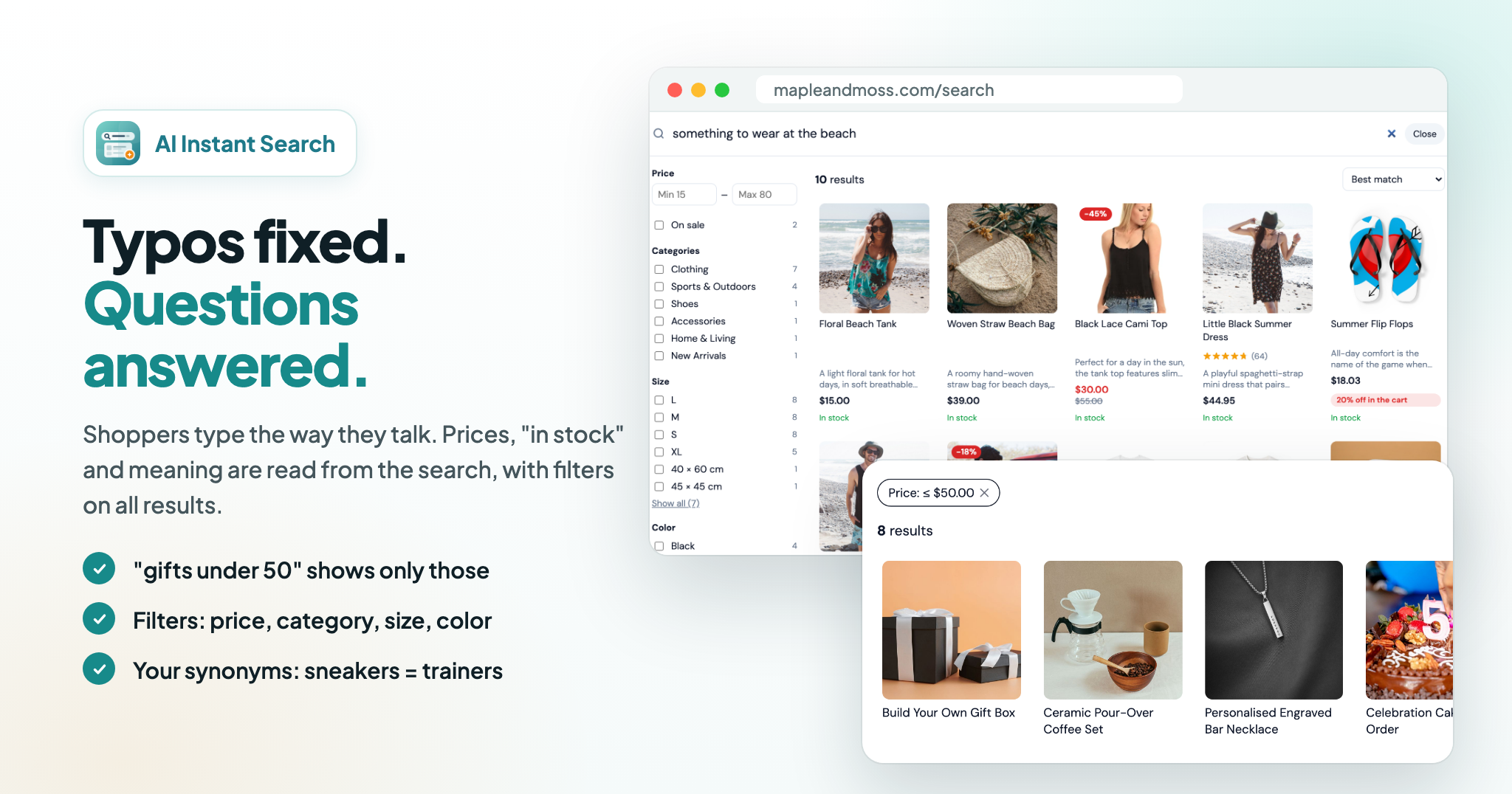
Besides the words, AI reads the meaning of a search, so questions and descriptions find the right products even when the words aren't in your product names: "something to wear at the beach" finds the beach bag, dresses and flip flops. Typos ("snekers"), plurals and word forms are handled. A price or stock in the search ("gifts under 50", "between 20 and 40", "hoodie in stock") is applied and shown above the results, where shoppers can remove it with one click.
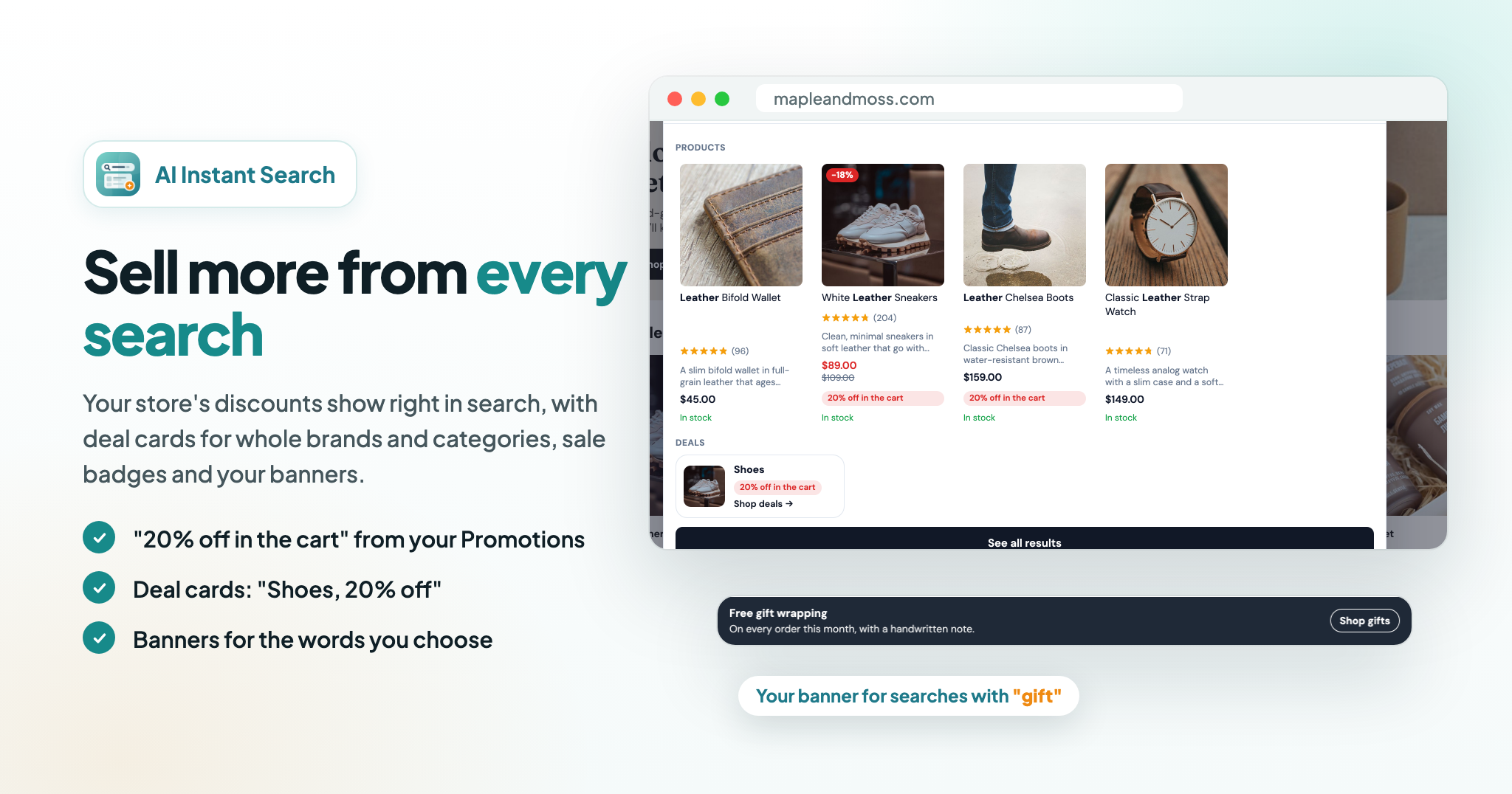
Product discounts you set up under Promotions in your store admin show on the products in search, like "20% off in the cart" or "$5 off in the cart when you buy 2 or more". When a whole brand or category is discounted, a deal card for it opens its products. With our Cart Discounts app, its offers show too, like "Buy one, get one free - in the cart". Sale badges, a Deals row before and while shoppers type, and banners for the words you choose ("Free gift wrapping" for searches with "gift") do the rest. Only discounts every shopper gets are shown.
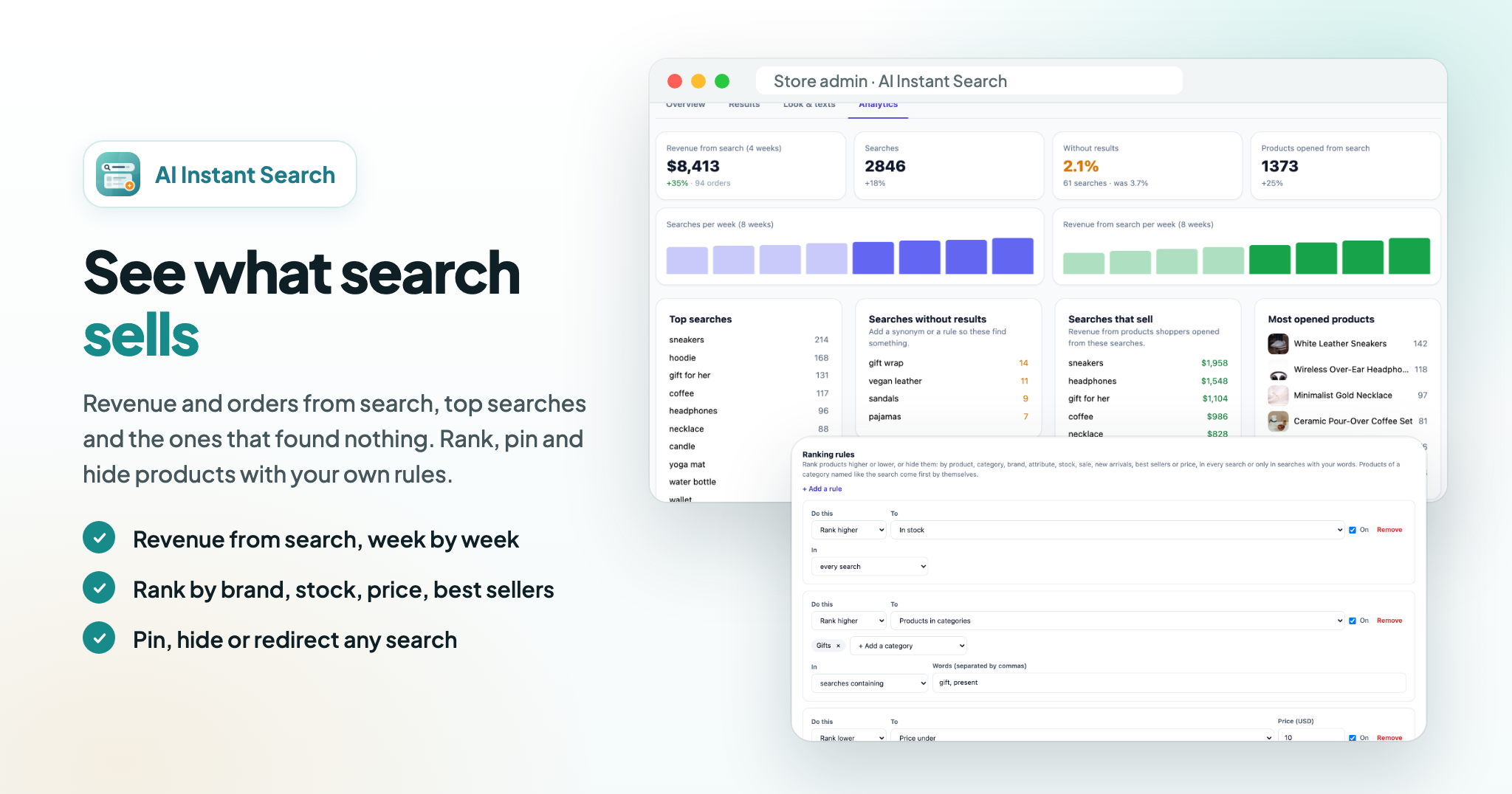
Rank products higher or lower, or hide them, by product, category, brand, attribute or option value, stock, sale, new arrivals, best sellers or price, in every search or only in searches with your words. For any search, put chosen products first, hide products or send shoppers to a page. "Try a search" in the admin shows why each product is where it is.
Next to all results: price from and to, on sale, in stock, categories, brand and your product attributes and options like size and color, each with how many products it has. Shoppers sort by best match, best selling, price, biggest discount or newest. On phones the filters sit behind a Filters button.
Revenue and orders from shoppers who found products through search, checked with your store and counted once, with the change against the weeks before and a weekly chart. Top searches, searches that sell, searches that found nothing and the products shoppers open, so you can close the gaps with synonyms ("sofa" = "couch") and rules in minutes. Best sellers come from your last 30 days of orders.
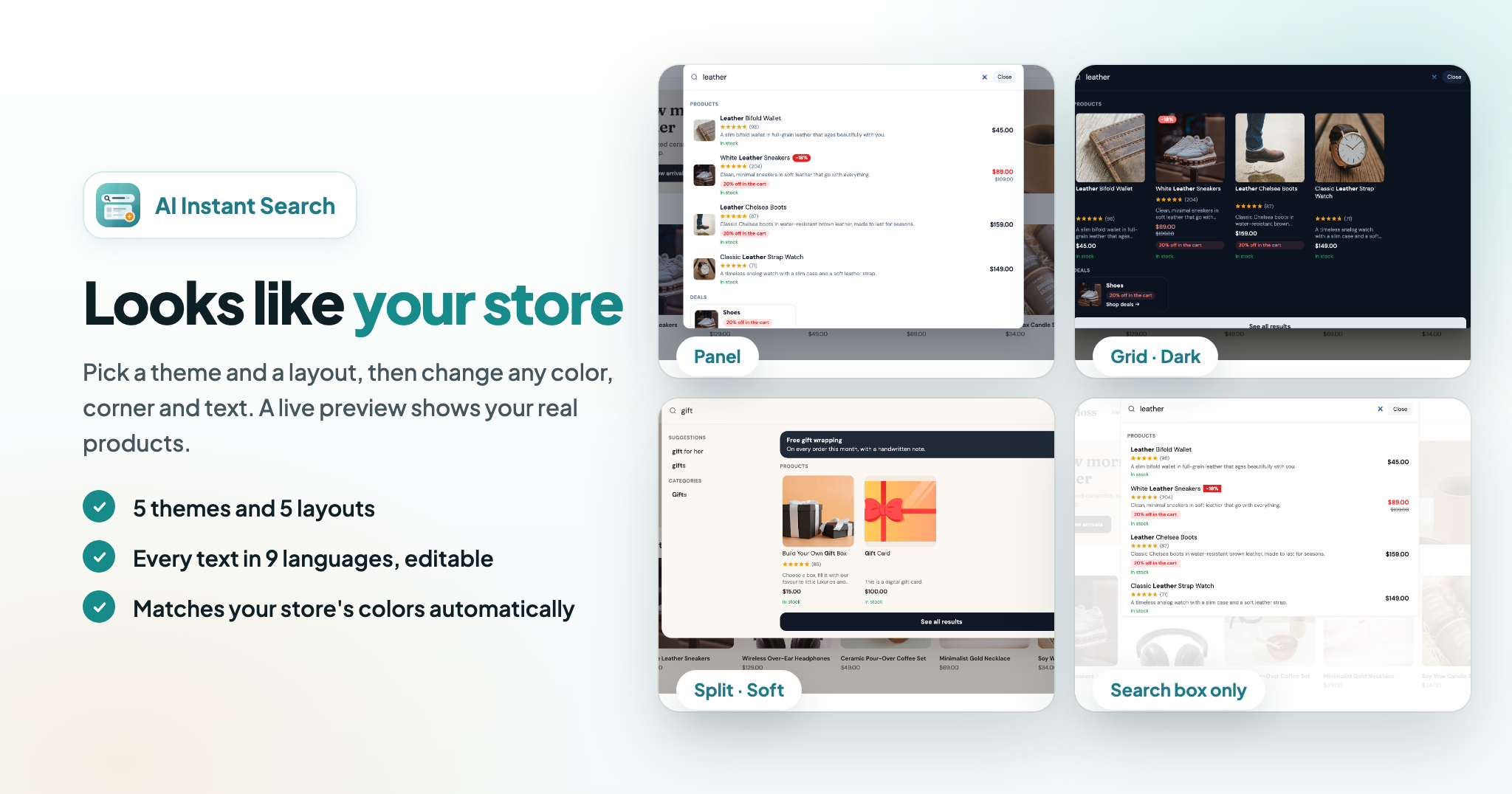
Five themes, one of them matching your store's colors and font automatically, and five layouts: a panel, product cards, a split view, full screen or a slim search box. Change text size, corners and every color. All shopper texts come in 9 languages and you can change any of them. A live preview in the admin shows your real products, on desktop and phone.
Where does the search show in my store?
On every page. It opens when a shopper clicks the search icon in your store header or a search field, or presses "/". On phones it opens full screen.
What does the AI search do?
Besides the words, it understands what a shopper means. "Gift for a coffee lover" finds your coffee sets and gift boxes even if no product name has those words.
Does it handle typos?
Yes. "snekers" finds sneakers and "hoddie" finds hoodies. When a word looks misspelt, shoppers see a "Did you mean" suggestion.
Can shoppers search by price or stock?
Yes. "Gifts under 30", "shoes between 20 and 40" or "hoodie in stock" show only those products, and shoppers can remove the limit with one click.
Can I choose what shows for a search?
Yes. Ranking rules rank products higher or lower, or hide them, by brand, category, attribute, stock, sale, price, new arrivals or best sellers. For a search, or every search containing your words, you can also put chosen products first, hide products or send shoppers to a page.
Does the search show my discounts?
Yes. Product discounts from Promotions in your store admin show on the products, and a deal card shows when a whole brand or category is discounted. With our Cart Discounts app, its offers show too. Discounts only for customer groups, on certain days and hours or needing other products in the cart aren't shown, so shoppers never see a discount they won't get.
How is the revenue from search counted?
When a shopper opens products from search and then orders within 7 days, the order lines for those products count as revenue from search. Every order is checked with your store and counted once.
How fast are new products searchable?
About two minutes after you add or change a product.
Which languages does it search?
Every language your store uses, in the language the shopper is viewing your store in.
Does it work with your Mega Menu?
Yes. When both apps are installed, the Mega Menu search icon opens AI Instant Search.
Does it slow my store down?
No. The script is small, loads after your page and searches on our servers.
Boost sales with customizable, animated notification bars...
Boost engagement and conversions with customizable countdown...
"Customizable age verification popup for online stores and...


 Shopify Apps
 Wix Apps
 BigCommerce Apps
 AI Agents